


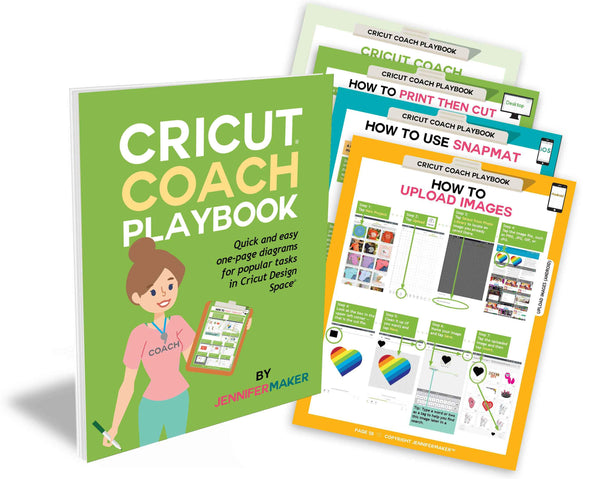


Cricut Confidence System: Start Right, Fix Problems, Create with Confidence
Sale price
$28.50
Regular price
$38.00
If you’ve ever opened Cricut Design Space and thought,
“Why isn’t this turning out the way I expected?” — this is for you.
The Cricut Confidence System is designed to do two things:
Help you start right
and
help you fix what goes wrong
Because that’s where most frustration actually happens.
Inside, you’ll get two complete guides that work together:
- The foundation that shows you how to set things up properly from the beginning (our bestseller Cricut Coach Playbook, recently updated)
- And the troubleshooting guide that helps you understand what to do when something doesn’t look right, cut right, or press right (the new Cricut Survival Guide)
So instead of guessing…
redoing projects…
or wasting materials…
you’ll know exactly what to adjust and why!
This isn’t about learning more for the sake of it.
It’s about finally getting results you feel good about.
What this helps you do:
- Understand why your projects aren’t working (not just what to click)
- Fix common Cricut mistakes quickly and confidently
- Get consistent, repeatable results
- Stop second-guessing your settings and process
Who this is for:
- You’ve made a few projects, but things still feel hit-or-miss
- You’ve followed tutorials, but your results don’t match
- You want to feel confident every time you press “Make It”
What changes after this:
You stop hoping it works…
and start expecting it to.
PLUS: If you purchase this system by April 30th, you'll receive two free bonuses -- our Cricut Fix Cards and our 2026 Cricut Design Space Changes cheat sheet!

Please note that these products are instant digital downloads (nothing will be shipped). Aso note that this special discounted price is only for the purchase of these two guides together, and we cannot offer additional discounts or pro-rations if you purchased one of these books already. Thank you for understanding!
All of the products in this bookshop are digital downloads only.
Not sure how to download? Below are some common download instructions:
Important: Most mobile devices such as phones and iPads, do not allow for downloading through a link. The exception is for iOS devices running iOS version 11 and higher (so you may want to upgrade before downloading).
ZIP Files: Some of my products are sent using a compressed ZIP file.
Here's how to unzip a ZIP file:
On a desktop or laptop: Save the ZIP file to your computer, right-click and select, "Extract All" (Windows) or double-click (Mac). This will create a new file on your computer in which you can open. If you need to get the files onto your mobile device, add the file to iCloud or Dropbox, or simply email it to yourself. Alternatively, you can check your order email on your mobile device and re-download it from my store. If you have issues with downloading, make sure you have a strong Internet connection and/or try using a different browser.
On a mobile device (phone or tablet): If you have an iPhone or iPad, upgrade to iOS 11 or higher if possible. If you this is not an option, you may need to get a free app to unzip it BEFORE you attempt to download it. This will allow you to unzip the folder to access it. Another solution available on some mobile devices is to long hold the zipped file icon and then click, "Extract." On iOS 11 and higher, you can click "Preview Contents" to view the items inside the ZIP file and then save them individually to your device.
All files are sent using PDF format. Virtually all computers these days have pre-installed Adobe Reader software on them. If your particular desktop, laptop, or mobile device does not have a PDF reader of some sort on it, you'll need one to view the items. Adobe Reader is the most common one and it's free. You can download it here.
Can't find your file? Most downloaded files automatically go to the Downloads folder on both Mac and PC. On the Mac, click on the Finder icon in your dock and click on Downloads to see what you've downloaded recently. On the PC, look under My Computer or search the title of the file on your computer for where it could be hiding.
Note: Some web browsers will load the PDF directly into the browser. You can make a copy of this PDF and save it somewhere that makes sense on your computer by clicking File > Save.
Printing Note: If you attempt to print my PDFs from an iPad, you may encounter an iPad bug that prints the pages without the images. If this happens, you need to print from another location (laptop or desktop computer) or email the PDF to a local office supply store (Staples, OfficeMax, Office Depot) for printing. This is a known iPad bug without a good workaround. I mention it now to save you from wasting ink and paper.
If you need more help, please contact hello@jennifermaker.com
You might also like


